SME digital adoption is back on the UK business agenda, but the most useful question is not “what should we buy?”. It is “what are we trying to improve, and what needs to be in place before the new tool becomes useful?”
The Department for Business and Trade’s SME Digital Adoption Taskforce final report sets out an ambition for growth and prosperity through digital technology. It focuses on practical productivity-enhancing tools such as cloud computing, customer relationship management and resource planning software.
For a small business, that can sound promising. The difficulty is that new technology rarely works in isolation. A new website, booking system, e-commerce store, customer database or marketing platform touches people, processes, data, suppliers and support.
Before you commit budget, here are six practical checks to make.
Table of Contents
1. Start with the business problem, not the software
A digital tool should solve a clear business problem. If the problem is vague, the decision usually becomes vague too.
Ask what you want to improve. It might be faster enquiries, fewer manual admin tasks, better online sales, clearer reporting, simpler customer follow-up or a more professional website. Write that outcome down before comparing platforms.
This also helps you avoid buying features that look impressive but do not change anything day to day. A small business does not need every possible function. It needs the right function, used properly, by the right people.

2. Check who will own the system after launch
Many digital projects fail quietly after the first few weeks because nobody owns them. The tool exists, but updates are missed, enquiries are not followed up, content becomes stale or staff revert to old workarounds.
Before choosing anything, decide who will be responsible for it. That does not always need to be a technical person. It might be an operations manager, office manager, sales lead or business owner. What matters is that someone knows what the system is for, what good use looks like, and when to ask for help.
For website, e-commerce and online presence projects, this ownership question is especially important. A site should not be treated as a one-off brochure. It needs updates, performance checks, content, search visibility and regular maintenance.
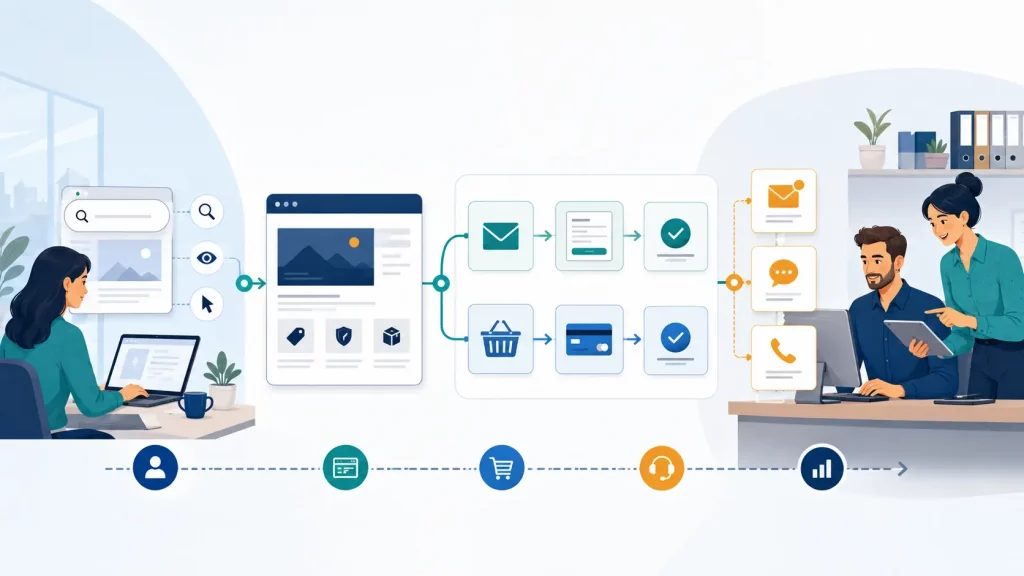
3. Map the customer journey before you change the tools
Digital adoption often affects customers before it affects internal teams. A new enquiry form, checkout process, booking workflow or email journey can either remove friction or create it.
Map the basic journey first. How does a customer find you? What page do they land on? What do they need to understand? What action do you want them to take? Who receives the enquiry? How quickly is it handled?
This is where website design, e-commerce, digital growth and content planning connect. A new tool is not enough if the message is unclear, the journey is awkward or nobody checks the enquiries that come through.
4. Understand what data the tool will handle
If a tool handles customer details, staff information, order history, marketing lists or support records, data protection needs to be part of the decision.
The ICO provides practical advice for small and medium organisations, including UK GDPR basics, information security, privacy notices, data breaches and direct marketing. You do not need to become a legal expert before improving your systems, but you should know what information is being collected, why it is needed, who can access it and how long it is kept.
This is particularly important for websites, forms, e-commerce stores, email marketing and customer databases. If personal information is involved, privacy and security cannot be left until after launch.
5. Build in basic security from the start
The NCSC’s small organisations guidance focuses on practical basics such as backing up data, protecting devices, securing email, securing important online accounts and spotting scams.
Those checks are relevant whenever a business adds a new digital tool. For example, who has administrator access? Are passwords unique? Is multi-factor authentication available? What happens if an account is compromised? Is important content or customer information backed up? Can staff recognise suspicious messages linked to the new system?
These are not questions to ask only after something goes wrong. They should be part of the setup conversation.

6. Check how the tool fits the rest of the business
A tool might work well on its own but still create problems if it does not fit the rest of the business. For example, a new website form might generate leads, but if those leads are not routed to the right person, response times suffer. An e-commerce store might look good, but if stock, payments, delivery and customer communication are not planned, the experience can break down.
Before buying, list the systems and people the new tool will touch. Include your website, email, phone handling, payment process, customer records, reporting, content updates and support arrangements.
This does not need to become a huge project document. A simple one-page checklist can prevent a lot of confusion.
SME digital adoption works best when it is practical
The strongest digital projects are usually the clearest ones. They solve a real business issue, have an owner, fit the customer journey, handle data responsibly, include basic security and have support after launch.
That approach is less exciting than chasing the newest tool, but it is far more useful for most SMEs.
It also makes supplier conversations easier. Instead of asking for a product in isolation, you can explain the outcome you need, the customer journey it supports, the data involved and the level of support required after launch. That gives you a better chance of choosing something that fits the business rather than adding another disconnected platform.
If your website, e-commerce setup or online presence is part of the problem, 1Connect can help you review your digital options and decide what needs improving first.
Need a practical starting point? Speak to 1Connect about reviewing your website, e-commerce setup or online presence and deciding what needs improving first.