NCSC Early Warning alerts can give a UK business useful notice of suspicious activity, vulnerable services or exposed ports. But picture the practical moment: an email arrives late on Friday afternoon, the usual IT contact is away and nobody else knows whether it is urgent, which system it concerns or who is allowed to act.
The warning has arrived. The response has not started.
That gap matters because an alert is not a solved problem. It needs a recipient, current asset information, evidence and a clear escalation route. Without those things, valuable warning time can disappear into forwarded emails and calls between suppliers.
The UK’s National Cyber Security Centre (NCSC) describes Early Warning as a free service for UK organisations. It is a sensible additional source of information, but the NCSC is explicit that it should complement existing security controls rather than become the only layer of defence.
If your business already struggles to say who watches the network, firewall and infrastructure, it may be worth reviewing where Sentinel managed infrastructure could provide clearer monitoring ownership. First, however, understand what an Early Warning alert can and cannot tell you.
Table of Contents
What NCSC Early Warning actually provides
Early Warning uses information from NCSC, public, commercial and closed sources to notify registered organisations about possible malicious activity affecting their internet-facing assets. The NCSC says any UK organisation can register.
Registration requires a MyNCSC account, the organisation’s name, its public IP addresses and domain names, and details for the people who should receive alerts. That list is operationally important. If the registered assets or contacts become stale, the process can weaken before an alert is even sent.
The service provides daily and weekly reports across three broad categories:
Incident notifications
These suggest an active compromise may be present. The NCSC gives the example of a host that is likely to be infected with malware.
Network abuse events
These indicate that an organisation’s assets have been associated with malicious or undesirable activity. One example is a device detected scanning the internet.
Vulnerability and open-port alerts
These indicate that a vulnerable service or potentially unwanted application may be exposed to the internet.
These categories are useful starting points, not final diagnoses. The service does not actively scan your network itself, and an alert still needs to be matched to your environment and investigated. Treat it as a reason to establish what is happening, not as automatic proof that a breach has occurred.
The first ownership test: who receives the alert?
A named email address is not the same as operational ownership.
The recipient needs to know that an NCSC message is expected, how to recognise the legitimate service and what to do next. The business also needs cover for holidays, sickness, staff changes and messages arriving outside normal working patterns.
Use five direct questions:
- Which monitored mailbox receives the alerts?
- Who is the named primary owner?
- Who covers when that person is unavailable?
- How quickly should each alert category be reviewed?
- Who records that the alert has been assessed and closed?
A shared mailbox can improve continuity, but only if someone is accountable for watching it. Copying several people can create the opposite problem, with everyone assuming somebody else has acted.
The right answer may involve an internal IT lead, an external provider or a defined combination. The important point is that the route is documented before the warning arrives.
Can you match the warning to a current asset?
An alert tied to a public IP address or domain is useful only if the business can identify what that address or domain supports.
Over time, suppliers change, services move and temporary systems become permanent. Domains are added for campaigns or customer portals. Firewall rules are changed. An address that was once tied to a known service may no longer mean what an old spreadsheet says it means.
Create a basic ownership record for every asset registered with Early Warning:
- the public IP address or domain;
- the business service or site it supports;
- the internal owner;
- the relevant technology supplier;
- where supporting logs or configuration records are held;
- the date the record was last checked.
This does not need to become an oversized asset-management project. It does need to be accurate enough that a warning can reach the right person without a search through old contracts and email threads.
Set a recurring review and update the NCSC registration when public addresses, domains or alert contacts change. Otherwise, a well-designed alerting service can be undermined by your own outdated inputs.
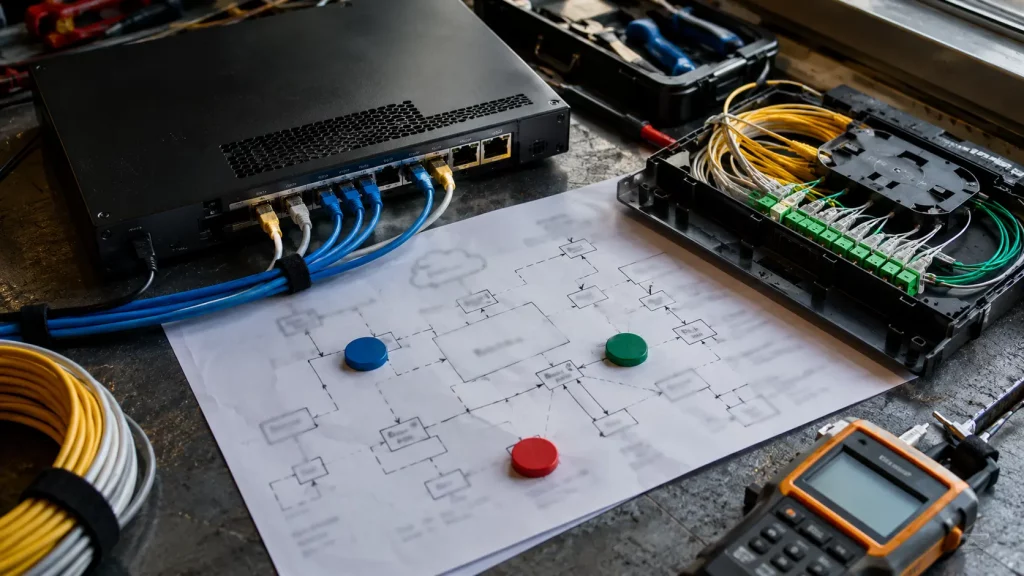
Decide what evidence is needed before the alert arrives
The first question after a warning is often: what happened?
The NCSC’s introduction to security logging says logging underpins monitoring and situational awareness. Relevant evidence may come from firewalls, routers, switches, DNS, authentication systems, servers and asset records. Which sources matter will depend on the warning and the way your environment is built.
Before relying on any source, check:
- whether the relevant logs are actually being produced;
- who can access them;
- how long they are retained;
- whether timestamps are consistent;
- whether the records can connect an external address to an internal device;
- whether somebody knows how to interpret them.
A log that exists but cannot be retrieved quickly is of limited value during an urgent investigation. The same applies to a dashboard that only one former employee understood.
This is the mid-point action: take one registered IP address or domain and rehearse the route from warning to evidence. If you cannot identify the asset, retrieve relevant records and name the decision-maker, document the gap now rather than after a real notification.
Set a triage route, not a generic instruction to “investigate”

Different warnings can require different people and evidence. A vulnerable internet-facing service may need configuration or patch information. Network abuse may need firewall, routing or device context. A suspected compromise may require a wider response beyond normal infrastructure management.
A simple triage record should capture:
- when the alert arrived;
- which registered asset it concerns;
- which category the NCSC assigned;
- who accepted ownership;
- what evidence was checked;
- whether the issue was confirmed, dismissed or escalated;
- what change was made, if any;
- who verified closure.
Avoid setting one unrealistic response promise for every notification. Instead, define who makes the urgency decision and which conditions require immediate escalation. An alert involving a customer-facing system, evidence of active compromise or a critical business service may warrant a different route from an informational vulnerability notice.
If your external providers have different responsibilities, record those boundaries. The person receiving the alert should not have to discover during an urgent situation that one supplier manages the firewall, another manages a server and neither owns the investigation.
One warning source is not complete visibility
The NCSC says Early Warning should complement existing security controls. Its guidance for boards on effective security measures also recommends layered, risk-based controls rather than reliance on a single measure.
That distinction protects the business from two bad assumptions.
The first is that no alert means no issue. Early Warning is based on information available through its feeds. It is not a complete view of every device, user, application or event inside an organisation.
The second is that receiving an alert means the service has resolved it. Early Warning supplies information. Your organisation still needs the people, access and process required to assess that information and take appropriate action.
The useful management question is therefore not “have we signed up?” It is “how does this warning source fit into the controls and responsibilities we already operate?”
Where managed infrastructure can close part of the gap
For some SMEs, the weak point is not access to another security tool. It is fragmented responsibility across the network, firewall, Wi-Fi, servers and monitoring.
Sentinel is 1Connect’s fully managed infrastructure platform. It brings networking, security, Wi-Fi, servers, monitoring and firewall management into one managed environment, with 24/7 monitoring through a Network Operations Centre and one point of accountability for that managed scope.
That does not mean Sentinel integrates with NCSC Early Warning, replaces every supplier or provides a formal incident-response service. Those claims are not being made here.
The relevant commercial question is narrower: if an external warning identifies possible activity at your network boundary, do you have clear ownership and visibility across the infrastructure needed to begin assessing it?
A managed environment can reduce the time lost establishing who owns the router, firewall, switch, Wi-Fi or server records. It can also make routine infrastructure monitoring a defined responsibility rather than an additional task left with an office manager or occasional contractor.

Five questions to settle this week
You do not need to wait for an alert to test the process. Ask:
- Are our registered public IP addresses, domains and contacts current?
- Who sees an alert first, and who provides cover?
- Can we identify the affected asset and retrieve relevant evidence?
- Who decides whether the warning needs escalation beyond routine infrastructure management?
- Who records the action and verifies that the issue is closed?
If any answer depends on “the person who normally deals with IT”, the ownership is not yet clear enough.
NCSC Early Warning alerts can add useful notice, but the business value comes from what happens next. Define the people, evidence and escalation route now, while there is time to make the process work.
If you want clearer responsibility for managed networking, firewall management and infrastructure monitoring, talk to 1Connect about whether Sentinel fits your environment. The first step is a practical review of what is currently managed, what remains unclear and where one accountable infrastructure team would help.