7 Essential Digital Landline Transition Checks for SMEs
For most UK businesses, the digital landline transition has moved from a future regulatory note to an active operational issue. Openreach is retiring the copper-based Public Switched Telephone Network by 31 January 2027, and the realistic planning window for a clean, tested migration is now narrow rather than generous.
The assumption that catches businesses out is that the job is done once phones have moved to hosted voice. In practice, the landline has been carrying far more than calls. Alarms, payment terminals, intercoms, lift emergency lines, monitoring devices and fax setups all sit on legacy lines in many SMEs, and the digital landline transition does not automatically rescue any of them. The businesses that cope well with 2027 are the ones who audit everything connected to the phone line, not just the handsets.
This post walks through seven practical checks an operations lead, office manager or director should run now.

What the digital landline transition actually means
The Public Switched Telephone Network is the analogue, copper-based infrastructure that has underpinned UK landlines for decades. It has been phased out for years. Openreach stopped selling new PSTN lines in September 2023, and the network is being retired entirely by 31 January 2027. Integrated Services Digital Network (ISDN) lines, the digital lines many business phone systems use, are being withdrawn on the same timeline.
What replaces it is not like-for-like. Voice calls will be carried over broadband using Internet Protocol, usually through a hosted telephony or Voice over IP service. That is a straightforward swap for desk phones, and for many businesses it has already happened. The less straightforward part is everything else that was plugged into or dialling out over those old lines.
Official guidance from GOV.UK is explicit that businesses should review any equipment or service still relying on PSTN or ISDN, not only phones, before the final switch off. Ofcom has reinforced the same point.
Why hosted telephony is not the whole job
Hosted telephony solves one specific problem: it gives you working phones on a modern network. It does not, by itself, do any of the following:
- Tell you what else in the building uses the old line
- Confirm whether your alarm monitoring centre supports IP
- Check the compatibility of a card terminal or fax machine
- Change how your phones behave during a power cut
- Replace a dialler in a lift or intercom
Each of these is a separate decision, often managed by a separate supplier, often last touched years ago. The PSTN switch off forces them all into view at once, and the timing matters. As the deadline approaches, engineers get busier, hardware goes on backorder, and number ports slow down. Starting the audit now is cheaper and calmer than resolving it under pressure in late 2026.
1. Audit every line entering the building
Before anything else, get a list of every phone line connected to the premises and note what each one is actually being used for. Many businesses discover at this stage that they are paying for lines nobody uses, or that a line labelled as “spare” is in fact the one the alarm system dials out over.
Useful steps:
- Pull a recent telecoms invoice and list every line and service
- Walk the building and identify what each line physically connects to
- Match lines to their function: voice, alarm, fax, lift, card terminal, monitoring
- Flag anything that cannot be accounted for
This audit is the foundation of the entire migration. Without it, any decision about what to replace or reconfigure is a guess.
2. Check alarm and monitoring systems
Intruder alarms, fire alarm monitoring and building security systems often rely on the landline to dial out to a monitoring centre or to send a signal when triggered. Many older systems use a telephone-based redcare or dialler module that will not work in the same way over IP.
What to check:
- Whether the monitoring centre accepts IP-based signalling
- Whether the dialler or communicator module is IP-ready
- Whether the installer has already contacted you about migration
- Whether any end-of-line testing has been done on the current setup
If the answer to any of these is unclear, contact the alarm supplier directly. This is not the sort of service where a surprise at the point of migration is acceptable.
3. Review payment terminals and EPOS
Card payment terminals connected by landline are increasingly rare, but they still exist in retail, hospitality, and service businesses that have had the same hardware for years. Older terminals set up to dial out over PSTN will not continue to work once the line is migrated.
Replacement is usually simple, since most modern terminals connect by mobile data, Ethernet or Wi-Fi. The risk is not complexity, it is oversight. A terminal that has been working reliably for six years is easy to forget until the day it stops accepting payments.
Worth asking the acquirer or terminal provider:
- Is this terminal IP-ready or does it need replacing
- Will the existing merchant agreement continue unchanged
- How is the migration scheduled relative to busy trading periods
4. Check lifts, intercoms and door entry systems
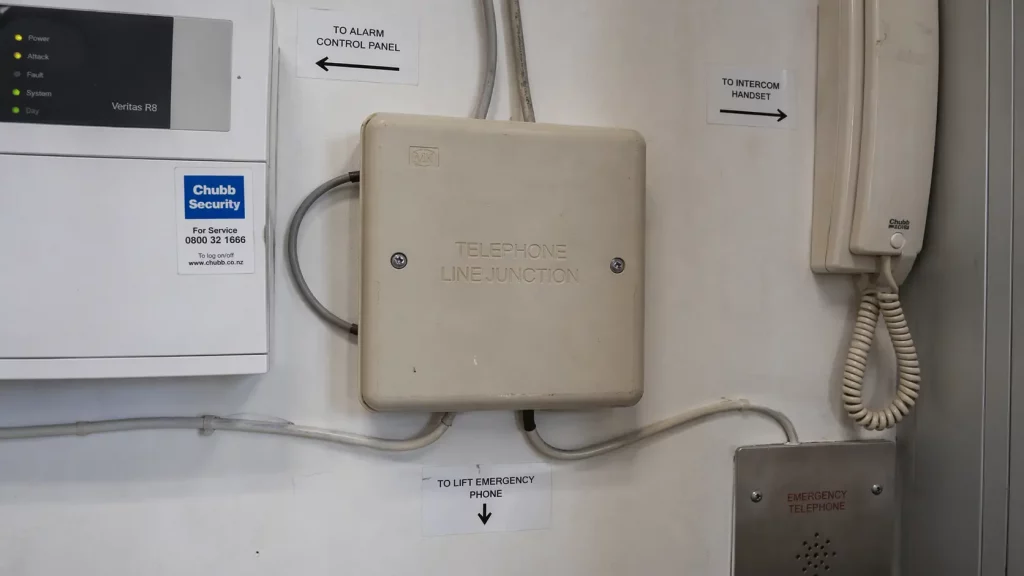
Lift emergency phones are a particular case. Building regulations typically require a working emergency line in the lift car, and these are often hard-wired to a landline. Intercoms and door entry systems with telephone dial-out, common in managed offices and multi-tenant buildings, have the same dependency.
These are areas where the phone line is a safety feature, not a convenience. They should be treated as a priority item in any audit, and the answer about what happens to them post-migration should come from the equipment supplier or maintenance contractor, in writing.
5. Confirm what happens in a power cut
The resilience behaviour of a digital phone service is not the same as the old copper line. Traditional PSTN lines carried their own low-voltage power from the exchange, which is why an analogue handset would keep working in a local power cut. Voice over IP has no such property. If the broadband router loses power, the phones go down with it.
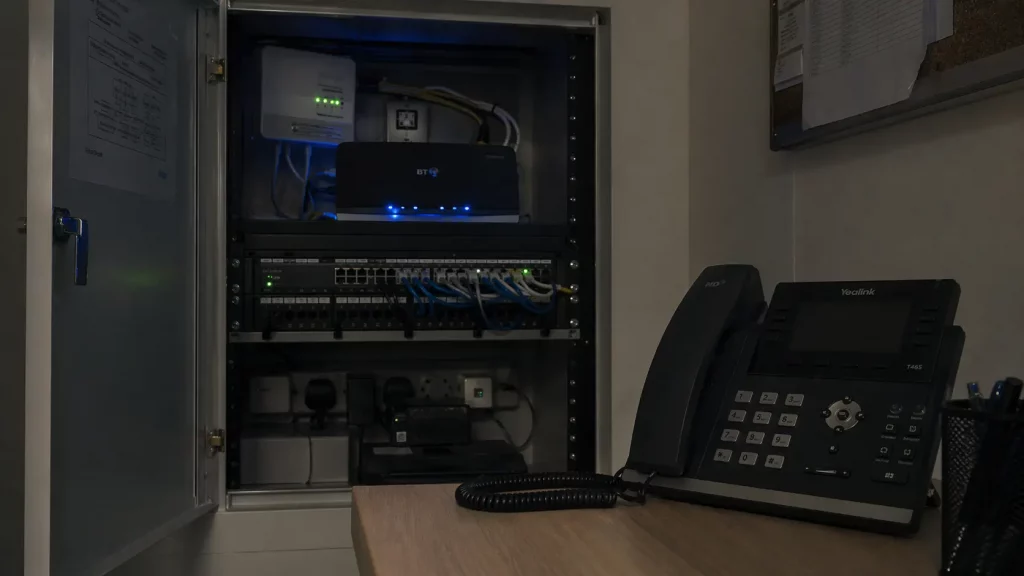
For most businesses this is manageable, but it needs to be planned rather than assumed:
- Are critical handsets on a small uninterruptible power supply
- Does the router have battery backup
- Is there a mobile fallback for emergency calls
- How long is the site expected to remain reachable after a power cut
Ofcom has set expectations that providers should offer a resilience solution for vulnerable customers, but for businesses the responsibility for planning sits with the organisation, not the provider.
6. Review broadband, fax and ancillary services
The digital landline transition also affects broadband. Traditional ADSL and FTTC broadband products depend on the same copper infrastructure and are being withdrawn on a similar timeline. If the business is still on one of these, the migration to a full fibre or fibre-to-the-premises service is part of the same conversation, not a separate one.
Fax is the other common item. A surprising number of SMEs still receive documents by fax, particularly in legal, healthcare and property sectors. Analogue fax machines do not always behave reliably over IP. Where fax is still genuinely needed, a fax-to-email service or a managed solution is usually a better answer than trying to keep an analogue machine running on a digital line.
Other items to check on the same pass:
- Franking machines with line-based billing
- Postage and telemetry devices
- Remote monitoring on plant, boilers or environmental kit
- Any dial-up modem still in use for niche applications
Each of these is worth a direct question to the supplier.
7. Map supplier ownership and accountability
This is the check that is least technical and most often missed. A typical SME environment has separate suppliers for phones, broadband, alarm, card payments, lift maintenance and building access. None of them owns the overall migration. The business owns it by default.

Without clear ownership, the usual failure mode is not dramatic. It is a series of small assumptions, each made by a different supplier, adding up to a gap nobody is responsible for. A clean audit answers three questions for every service:
- Who is the supplier
- What are they doing about the switch off, and by when
- What do they need from the business to proceed
Getting this on a single page, even a simple spreadsheet, is the single most useful thing a business can do before the migration window gets tight.
What a sensible next step looks like
None of the above requires specialist skills. It requires someone to walk the building, list the services, and ask each supplier a direct question. The businesses that will feel the digital landline transition most sharply are not the ones with complex setups. They are the ones who assumed phones were the whole story and found out otherwise after a line went dark.
If you would like a second pair of eyes on your communications environment before the migration window gets busier, 1Connect can help you review what you have, flag anything at risk, and plan a transition that keeps disruption to a minimum. You can start with a free business connectivity check, which takes under 30 seconds and gives you an immediate view of what is available at your address.
Sources: GOV.UK, Moving landlines to digital technologies; GOV.UK, UK transition from analogue to digital landlines; Ofcom, Moving landline phones to digital technology: what you need to know; Openreach, Openreach puts the stopper on copper.